Codes
Obby Builder Roblox slot codes, group rewards, and promo-code status with load steps so you share plots before they vanish.
View all CodesSlot codes, build guides, and co-op tips for Obby Builder on Roblox.
Unofficial Obby Builder Roblox wiki for slot codes, build guides, gamepass ranks, and co-op tips so you share courses and earn likes faster.
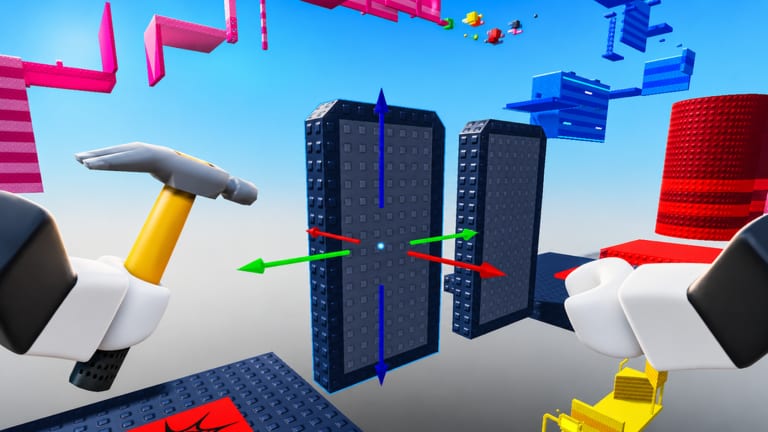
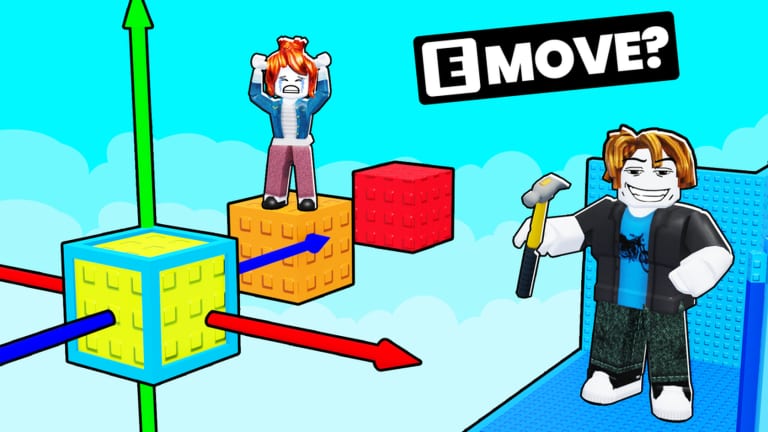
Obby Builder is a free Roblox sandbox by Obby Builder Studio where you place parts, traps, checkpoints, and gadgets, then challenge the server to beat your course. Every save gets a slot code you can paste to load a friend's plot instantly. Earn cash by playing — see earn cash — expand the plot, and chase likes so you can climb Trending and Highlighted. New players should start with the getting started guide, learn controls, then follow how to build. Lighting and movers wait until the line is fair; use lighting, movers, and emotes. If you play with friends, read the co-op guide. Spenders can compare gamepasses and the plot-size planner before buying Taller, Longer, or Wider Obby. Builders hunting visibility should use the get featured checklist and the likes page. Lost a save? Use Restore Data in the Slots UI. Official group and store links live on the links hub.
Obby Builder Roblox slot codes, group rewards, and promo-code status with load steps so you share plots before they vanish.
View all CodesObby Builder Roblox guides for first builds, co-op, controls, likes, and beating community courses without wasting cash.
View all GuidesObby Builder tier list ranking gamepasses, parts, and course types so you spend cash and Robux with a clear plan.
View all Tier ListObby Builder builders hub covering likes, badges, leaderboards, and habits that get a plot noticed on Roblox today.
View all BuildersObby Builder updates hub covering Highlighted obbies, new parts, emotes, lighting, and slot-code patches on Roblox.
View all UpdatesObby Builder scripts hub: current script status, executor risk, and official coils that replace fly or speed hacks.
View all ScriptsObby Builder tools hub with build checklists, Restore Data steps, and plot-size planning before you spend Robux.
View all ToolsOfficial Obby Builder links: Roblox game page, Obby Builder Studio group, store passes, and trusted community hubs.
View all LinksOpen Obby Builder on Roblox, complete the building tutorial for the badge, then stay in a 10-player server so you can test on real runners. Full first-session notes live in Getting Started.
Drop a spawn, a few platforms, and a checkpoint. Open Slots, copy the slot code, and send it to a friend. The slot code guide covers load, unlisted, and custom thumbnails.
Play Trending and Highlighted courses to farm cash and unlock more plot space. The earn cash loop covers Double Cash and the cap. Use how to beat obbies if killbricks or one-way movers keep resetting you.
Co-op lets two builders edit the same plot. Agree who places traps versus checkpoints before you start — see the co-op guide.
Fair difficulty, clear checkpoints, and a readable thumbnail get more likes than a huge empty plot. Follow get featured and only then compare gamepasses.
Quick answers to the most common Obby Builder questions.
Finish the in-game tutorial, then read Getting Started and controls. Copy a slot code as soon as you have a spawn and a checkpoint.
As of September 2026 we have not found official cash or item redeem codes. The codes that matter are slot codes used to load plots. Join the Obby Builder Studio group for the advertised bonus rewards.
Open the Slots UI, copy your slot code, and have your friend paste it. If the plot should stay private, enable Unlisted first. Steps are on how to redeem and slot codes.
This wiki is available in English, Français, Deutsch, Español, and Português (BR). Game UI follows your Roblox language settings.
No. This is a fan-made guide. Confirm codes, gamepasses, and patch notes on the official Roblox page and the Obby Builder Studio group.
Open Slots and use Restore Data before you rebuild. The restore data tool explains when a restore helps versus when you should reload from a slot code backup.
Finish the beginner path, copy your slot code, and check the tier list before you spend Robux on plot size.
Open the beginner guide