Obby Builder Tools
Checklists and recovery steps you can use in a live session.
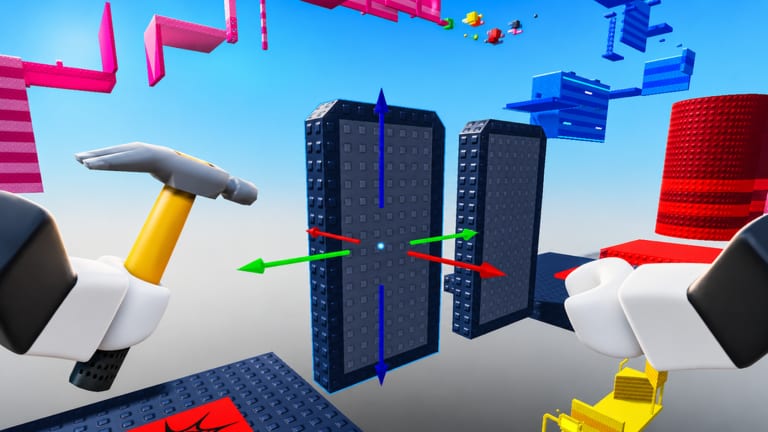
This hub is a set of practical wiki checklists for Obby Builder on Roblox, not web apps and not a replacement for the in-game Slots UI. Keep it open on a second screen in a 10-player server. Use the build checklist before you publish, Restore Data when a save fails, and the plot-size planner before you buy Taller, Longer, or Wider Obby. Read how to build for placement rules, then come back here before you spend cash or Robux.
Obby Builder is a free sandbox by Obby Builder Studio (released 7 July 2025, about 20 million visits). You place parts, traps, checkpoints, signs, music, teleporters, and one-way movers, then share a slot code. Online co-op is supported. Cash comes from playing community obbies. Likes help a plot reach Trending and Highlighted. You do not need third-party software. You do need a short list you can follow on the plot.
What these tools are
Each tool is a checklist. The build checklist covers spawn, first jump, checkpoint spacing, killbrick telegraph, one-way mover direction, signs, music volume, lighting, thumbnail, Unlisted, slot-code copy, and a two-pass playtest. Restore Data covers the official Restore Data control in the Slots UI, written slot-code backups, Unlisted drafts, and co-op overwrite recovery. This wiki does not host save files and does not promise a 100 percent restore.
Build checklist before you publish
Runners like courses they can finish. A missing spawn or a hidden killbrick tanks likes even when the rest of the plot is clever. Work the numbered list on the build checklist in order. Playtest without coils, then with Fusion Coil if you own it, then invite a friend. For visibility after that pass, use get featured.
Restore Data and slot backups
The official game description points you to Restore Data in the Slots UI. Try it before you rebuild from memory. Keep a written slot code for every plot you care about, and load it with how to redeem if restore is not enough. Details are on Restore Data and slot codes.
Plot size and Robux planning
Do not buy plot size until the course is completable on the default footprint. Work the plot-size planner so you pick one axis. Taller, Longer, and Wider Obby each cost 199 Robux. Rainbow Parts is 99. Fusion Coil is 149. Double Cash is 299. Gravity and Speed are 79 each. Compare them on the gamepasses list first. Extra length without checkpoints is empty studs. Cash from community courses still expands builds without Robux; the farm is on earn cash.
How to use this hub in a live session
Join, finish the tutorial if needed, and place a spawn. After the first checkpoint, copy a slot code. Before you go public, run the build checklist. If a save fails or a co-op partner overwrites a slot, stop placing parts and open Restore Data. Technique lives on how to build. Spend decisions live on gamepasses. First-hour basics live on Getting Started.
Frequently Asked Questions
Quick answers to the most common Obby Builder questions.
Are these tools web apps I have to install?
No. They are wiki checklists you follow inside Obby Builder. The build checklist and Restore Data pages do not download files or replace the Slots UI.
Which page should I open during a live build?
Keep the build checklist open while you place parts. Switch to Restore Data only if a save fails, a slot looks empty, or a co-op partner overwrote the plot.
Should I buy Taller, Longer, or Wider before I publish?
No. Finish a completable course on the default plot first. Then compare prices on the gamepasses list. Each of those size passes costs 199 Robux.
What do I do if my plot vanished?
Stop placing parts. Open the Slots UI and use Restore Data, then try your written slot code. The Restore Data page explains when restore helps versus when you should redeem a slot code.
Does Fusion Coil replace the playtest checklist?
No. Fusion Coil costs 149 Robux and changes movement. Run the build checklist without coils first, then with Fusion Coil only to catch skips.