Obby Builder Guides
From the tutorial badge to Highlighted — pick a path.
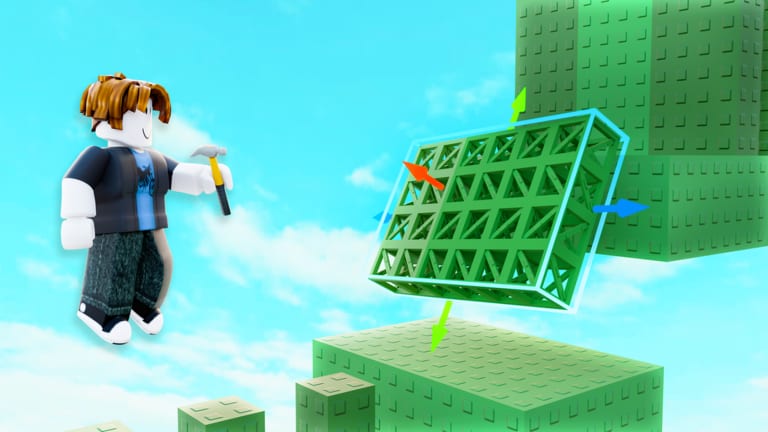
Obby Builder is a free Roblox sandbox from Obby Builder Studio. You claim a plot on a 10-player server, place parts, save a slot code, and challenge the room to beat the course. These guides skip lobby wandering and send you to a first-hour path, a fair layout, or a clean run on someone else’s traps.
The experience launched 7 July 2025, sits past 20 million visits, uses R6 avatars, and runs on PC, mobile, tablet, and console. Online co-op is the only co-op: friends join the same server. There is no split-screen.
Eight guides, one promise each
Use this hub as a map. Each child page answers one job.
Getting Started covers the first hour: the tutorial badge, a spawn, platforms, a checkpoint, cash from one community course, and a copy of your slot code before you spend Robux.
How to Build is the parts and tools walkthrough: hammer tools, RGB move gizmos, checkpoints, buttons, signs, teleporters, music, one-way movers, and lighting so a runner can finish.
Controls maps WASD, jump, shift-lock, thumbsticks, tap-to-place, the Move gizmo prompt, and play versus build on every device.
Co-op Building explains who owns the slot, how to split layout versus traps versus lighting, and what to do when a friend overwrites the plot.
Get Featured is the likes, Trending, and Highlighted path: fair difficulty, readable thumbnails, Unlisted drafts, and why the Got a Like badge is rare.
Beat Community Obbies teaches checkpoints, killbricks, one-way movers, retries, cash from finishes, and when coils help versus when they fake a test on your own plot.
Earn Cash is the money loop: beat Trending and Highlighted, respect the cash cap, and only then consider Double Cash.
Lighting, Movers, and Emotes covers advanced lighting, one-way platforms, spinners, and the Emotes menu after the line is already finishable.
First session, then spend later
Finish the in-game tutorial for Completed the Tutorial. Place a spawn, a short run of platforms, and a checkpoint. Open Slots and copy the slot code. Beat one Trending or Highlighted course for cash. Join the Obby Builder Studio group. Do not buy Taller, Longer, or Wider Obby until people finish the course.
Slot sharing lives on the codes hub. Rank parts and gamepasses on the tier list. Before you publish, run the build checklist.
Rainbow Parts costs 99 Robux. Taller, Longer, and Wider cost 199 each. Fusion Coil costs 149. Double Cash costs 299. Gravity Coil and Speed Coil cost 79 each. None of those replace a readable first jump.
How to use this hub
Read Getting Started, then How to Build, then the checklist. Open Controls if a friend plays on a phone. Open Co-op before two hammers hit the same plot. Open Get Featured when you want likes instead of a bigger empty floor. Open Beat Community Obbies when killbricks keep sending you back to spawn. Open Earn Cash when the plot cannot grow. Open Lighting, Movers, and Emotes after the first finishable line exists.
Do not hunt invented cash codes. Obby Builder uses slot codes to load plots. Do not leave a course Unlisted if you want discovery. Do not skip checkpoints. Do not test only with Fusion Coil if you expect likes from players who own nothing. If a save looks empty, try Restore Data in Slots before you rebuild.
Badges on the roster are Welcome, Completed the Tutorial, Got a Like, and Beat an Obby. Plot size and coils wait until the layout is fair.
Frequently Asked Questions
Quick answers to the most common Obby Builder questions.
Which Obby Builder guide should I open first?
Start with Getting Started for the tutorial badge, first plot, and slot code. Switch to How to Build once you have a spawn and a checkpoint.
Do I need Robux before I can share a course?
No. Copy a slot code from Slots for free. Plot-size passes such as Taller, Longer, and Wider wait until a runner can finish the layout.
Where do slot codes, ranks, and checklists live?
Load and share plots from the codes hub. Compare parts and passes on the tier list. Run the build checklist before you chase likes.
Is co-op split-screen?
No. Co-op is online on 10-player servers. Read Co-op Building before two people edit the same slot.
How do likes and Highlighted work?
Get Featured covers likes, custom thumbnails, Unlisted drafts, Trending, and curator-picked Highlighted courses.