Obby Builder Build Checklist
A pre-publish pass so runners can finish and like the plot.
A publish pass is the difference between a plot people finish and a plot they leave. This checklist is a pre-publish list for Obby Builder so runners can complete the course and leave a like. It is not a replacement for how to build. Use that guide for placement technique, then run every item here before you turn Unlisted off. Keep a slot-code backup as you go so a bad save does not wipe the work; Restore Data covers recovery if something still fails.
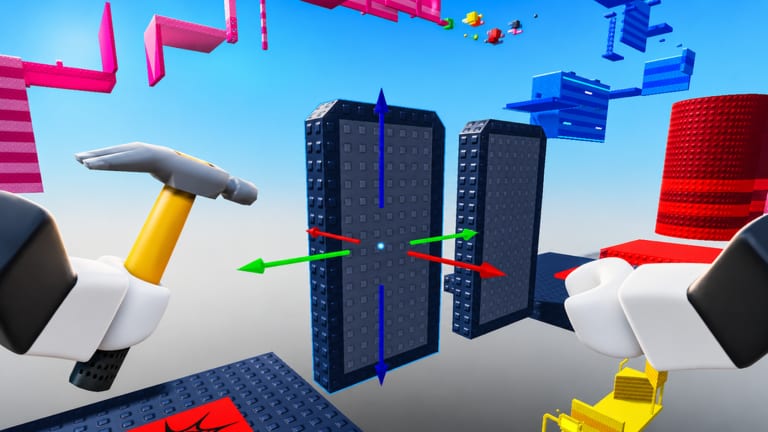
Obby Builder lets you drop parts, traps, checkpoints, signs, music, teleporters, one-way movers, and lighting on a plot, then share the result with a slot code. Servers hold ten players. Co-op is online. Cash, likes, Trending, and Highlighted reward courses people can beat. Extra plot size still fails if the first jump is unfair.
Why a checklist beats more parts
New builders add parts until the plot looks busy. Runners care about spawn, the first jump, checkpoint spacing, and whether a killbrick is readable. Likes follow finishes. The get featured page is visibility after the course is fair. This page is the pass you run first. Work the numbered list in order.
The numbered pre-publish pass
- Spawn. Place a spawn the runner cannot miss. If they join your plot and fall, they will leave. Test from a fresh join, not from your current camera.
- First jump fair. The opening gap should match the rest of the course. A tiny first jump into a brutal second jump feels like a trick, not a difficulty curve. If you are unsure, read how to beat obbies from a runner’s point of view, then fix the opening.
- Checkpoint spacing. Put checkpoints often enough that a fail costs a short retry, not the whole plot. Long sections without a checkpoint kill likes even when the jumps are fair.
- Killbrick telegraph. Killbricks and other fail parts need a color, material, or shape people can read at speed. Hidden damage feels random. If a trap is meant to be a trick, sign it.
- One-way mover direction. One-way moving platforms are in the latest feature set. Confirm the travel direction, the landing, and what happens if a runner misses. A mover that dumps people off the plot is a bug, not a challenge.
- Signs. Label the start, any branch, and any intended trick. Signs are in the official feature list. Use them. A silent maze wastes the ten-player server.
- Music volume. Music is allowed. If the track drowns jump cues, lower it. Playtest with sound on.
- Lighting. Advanced lighting properties are part of the current toolset. Check that platforms remain readable at the time of day you chose. Dark parts on a dark sky hide edges.
- Thumbnail. Custom thumbnail images exist for slots. Use a readable shot of the course, not a cropped UI. This is what people see before they paste a slot code.
- Unlisted off if public. Unlisted keeps a plot private from loading and featured lists. Leave Unlisted on for drafts. Turn it off only when you want the server, Trending, and Highlighted to find the course.
- Copy slot code. Open Slots and copy the code. Send it to yourself. A code you did not write down is not a backup.
- Playtest without coils, then with Fusion Coil. Run the whole course with no coil first. Then run it again with Fusion Coil if you own the 149 Robux pass. A layout that is only possible with a coil will punish default runners.
- Invite a friend. A second player will miss a jump you always make. Co-op editing is covered on the co-op guide; this step is a playtest, not a build session.
Playtest without coils, then with Fusion Coil
Default movement is the audience. Most visits will not own Fusion Coil, Gravity, or Speed. If you cannot finish without a coil, tighten gaps, add a checkpoint, or sign that the coil route is optional. Gravity and Speed are 79 Robux each and change jump feel; test them only after the no-coil pass is clean. Rainbow Parts at 99 Robux does not change physics.
Fusion Coil is a spend, not a skill check. Use it to find accidental skips, then close those skips for default runners. If a skip is intended, sign it. Compare coil and size prices on the gamepasses list only after this checklist is green.
Share, backup, and go public
After the numbered list, copy the slot code again and store it outside Roblox. Keep Unlisted on for drafts and share the code only with testers. Loading steps are on slot codes and how to redeem. If a save fails, stop and use Restore Data before you place more parts.
When the course is fair, turn Unlisted off and ask the server to run it. Likes come from finishes. Visibility after that is a separate job on get featured and likes. Taller, Longer, and Wider (199 Robux each) wait until this checklist is green.
After the pass
Keep this checklist next to how to build for every new slot. Re-run items 3, 4, 5, and 12 after a large edit, and re-copy the slot code after every save. Recovery steps also live on the tools hub. This page is a fan checklist, not a studio tool.
Frequently Asked Questions
Quick answers to the most common Obby Builder questions.
Do I need Fusion Coil to finish this checklist?
No. Complete the no-coil playtest first. Fusion Coil is a 149 Robux gamepass you use afterward to catch skips, not a requirement to publish.
Should Unlisted stay on while I test?
Yes for drafts. Unlisted keeps the plot private from loading and featured lists. Turn it off only when you want the public server to find the course.
How often should I copy the slot code?
After the first checkpoint, after every major save, and again before you go public. Store it outside Roblox. Slot codes and Restore Data explain load versus restore.
What counts as a fair first jump?
The opening gap should match the rest of the course and be completable without coils. If runners fail immediately, read how to beat obbies and then widen or lower that first jump.
When should I use Get Featured instead of this list?
After this checklist is green. Get featured is about likes, thumbnails, and Trending or Highlighted visibility. This page is the fairness pass that comes first.
What if a playtest wipes the plot?
Stop editing. Open Slots, try Restore Data, then load your written slot code. Steps are on Restore Data and how to redeem.