Obby Builder Co-op
Build together without wrecking the plot.
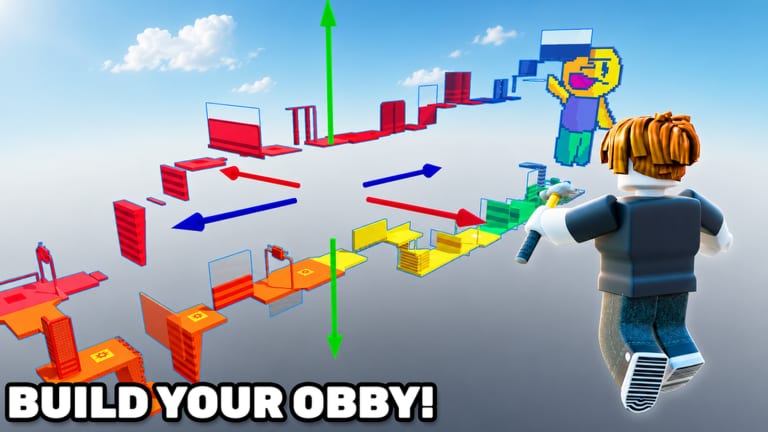
Co-op in Obby Builder is online, not split-screen. Friends join the same 10-player server, load the same slot, and edit the same plot. There is no couch mode with two cameras on one device. If someone is on a phone in another room, they still join through Roblox and appear as a second avatar with a hammer.
That design is why overwrite fights happen. Two people can Move the same checkpoint. One person can delete a killbrick the other person just placed. Agree on ownership and roles before the first part drops.
Bring the layout habits from How to Build with you. Co-op does not replace gizmos, checkpoints, or playtests. It only adds more hands.
Online co-op, not split-screen
Invite a friend into the experience the usual Roblox way, then meet on the plot. Servers cap at 10 players. That cap includes random runners who loaded Trending, not only your build party. If the server is full of strangers, you still share physics and parts with them. Build during quieter minutes, or accept that someone will test the unfinished spine.
R6 avatars make it easy to see who is standing on a pad you are about to Move. Look before you drag a gizmo. A friend mid-jump is a playtester, not scenery.
Voice or chat outside the game helps because the in-experience UI is busy. Call out “Moving the second checkpoint” before you touch it. If you cannot talk, split the plot in space: one builder works near spawn, the other works near the finish, and nobody crosses the middle until you merge.
Console and mobile friends are in the same server. Their jump timing is different. When you playtest together, let the stick or thumb player run first. Keyboard-only tests lie in co-op the same way they lie solo.
Who owns the slot
One account owns the slot code. That owner copies, lists, unlistes, sets a thumbnail, and hits Restore Data. Everyone else is a guest editor on the loaded plot. If the owner leaves without saving, guest work can vanish. The owner should save after every agreed change and copy the slot code to a chat both people can see.
Do not paste the code in a public server chat if you want a private draft. Use Unlisted while you draft, then share the code in a private message. Unlisted stops discovery; it does not stop anyone who already has the code.
If two friends each thought they owned the plot, you will get two slot codes and two slightly different courses. Pick one owner at the start. The other person can keep a backup copy of the code, not a second “real” slot.
Restore Data is the owner’s tool. Open Slots and use it when a guest Move wrecks the spine or a duplicate load overwrites a good save. Read Restore Data before you panic-rebuild. Restore is not undo-one-part; it is a slot-level recovery. Save often so the restore point is recent.
Split roles before you place
Three roles cover most plots: layout, traps, and lighting.
Layout owns spawn, platforms, truss-style climbs, checkpoints, and the finish. That person decides jump length and where a runner is allowed to stand. Layout should finish a beatable spine before traps go down.
Traps own killbricks, buttons that close doors, one-way movers, and teleporters that punish a miss. Traps never sit on the only landing. If layout and traps argue, layout wins until the course is finishable.
Lighting owns advanced lighting, music volume, signs, and the thumbnail camera. Lighting does not hide landings. Neon on a killbrick is fine; darkness on a two-stud pad is not.
A two-person team can merge lighting into layout. A three-person team should still keep one owner for the slot. Extra people beyond that are runners, not extra hammers. Ten-player servers fill up; extra editors are extra overwrite risk.
Emotes are not a role. If someone is only dancing on the spawn pad, they are a runner. Let them test.
Test as a runner, restore if it breaks
When the spine exists, everyone unequips coils and runs from spawn. The builder who placed a jump does not get the only vote. Watch where guests fall. Move that landing. Save. Copy the code.
If a guest “fixes” a jump by widening it into a nearby killbrick, Restore Data and talk. Do not rebuild the whole plot from memory while angry. If Restore Data is stale because nobody saved, you will learn to save.
After a clean co-op run, pick one person to playtest as a stranger: no voice, no hints, no coils. That run decides whether the course is ready to list. If it is not, keep Unlisted.
Co-op is also how you farm cash together. One person builds, another beats community courses, then you swap. Just do not let the cash farmer Move parts they have not agreed to touch.
When the session ends, the owner saves, copies the slot code, and confirms Unlisted or listed. Guests should not assume their last Move is in the cloud until the owner says it is saved.
Frequently Asked Questions
Quick answers to the most common Obby Builder questions.
Is Obby Builder co-op split-screen?
No. Co-op is online on 10-player servers. Friends join the same place and edit the loaded plot as separate avatars.
Who should copy the slot code?
The slot owner. Save, copy the code, and send it privately. Load steps are on slot codes.
What if a friend overwrites the plot?
Stop placing, then use Restore Data from Slots if the owner saved recently. Agree on roles before you continue.
How should we split build work?
One person owns layout (spawn, platforms, checkpoints). Another owns traps and movers. Lighting and signs can sit with either. See How to Build for the tools.
Can random players on the server edit with us?
You share a 10-player server with whoever is in the room. Keep drafts Unlisted, watch the plot, and save after every agreed change.